The thing itself.
A hazard is visible. The place, time and condition are exact.
Field reporting is a mobile app module in Tawasol for reports with descriptions, photos, video and location, routed to the responsible team. It connects this work to the organization’s shared structure and access controls, within a platform deployed on the organization’s own infrastructure or in a private cloud.
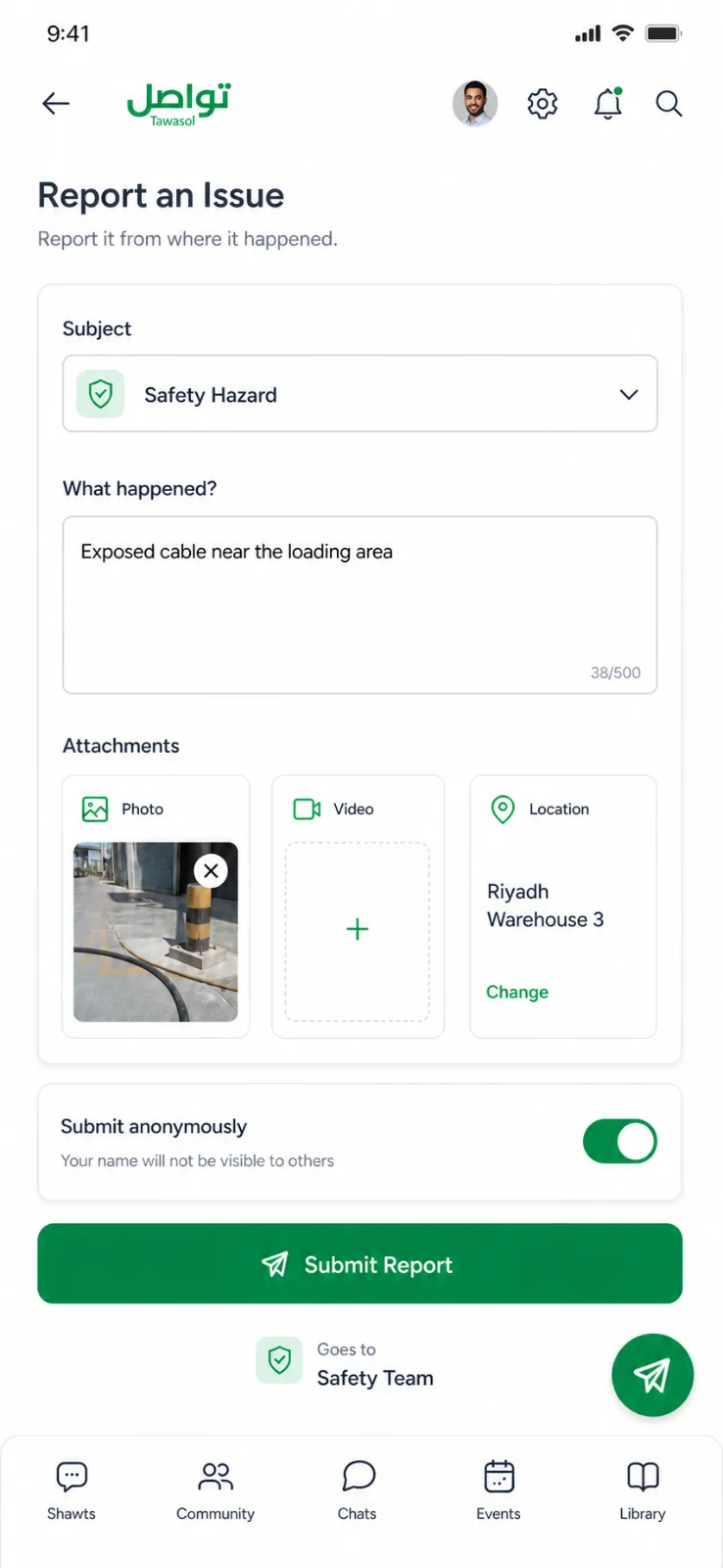
Product screens and counts are illustrative. Confirm supported controls, limitations and operating responsibilities for your deployment.
A report delayed until tomorrow is not the same report. Detail becomes memory, evidence becomes hearsay, and the location becomes approximate.
A hazard is visible. The place, time and condition are exact.
The issue is described to a supervisor while everyone is leaving.
No photo. No precise location. The important detail is now uncertain.
An investigation starts with recollection instead of evidence.
DETAIL LOSTThe shortest path between seeing the problem and preserving the evidence.
A private route for the reports where identity could otherwise change the decision to speak.
Safety violations, harassment, shortcuts taken under deadline. Two things close that gap: reporting has to be faster than not reporting, and anonymity has to remove the calculation entirely.
Evidence does not disappear into an inbox. It arrives as a routed ticket with a handler, a thread and a permanent resolution record.
Riyadh Warehouse 3
Field reporting covers reports with descriptions, photos, video and location, routed to the responsible team.
What gets captured, where it goes, and how the person who reported it stays informed.
Confirm which identifying metadata is removed and which account, attachment and location information remains visible to handlers, administrators and support.
Confirm processing locations, external dependencies and support access for location tags, images and reports in the selected deployment.
Photographs, video, text and GPS location metadata. The receiving team sees the actual thing, at the actual place, at the time it was found.
Into the Ticketing module, tagged by subject and location, where the handling team replies, forwards or closes with a searchable record.
Yes. The thread stays available until the handling team closes it.
The employee selects a subject at submission and the report routes automatically. Subjects are defined by your administrators to match your structure.
During the demonstration, attach a photo and location, choose a subject, and follow the report through Ticketing to resolution.