MODULE 08 · Administration Dashboard module 08 — Administration Tawasol, shaped around your identity. Administration is a dashboard module in Tawasol for branding, login fields, administrator roles and deployment settings. It connects this work to the organization’s shared structure and access controls, within a platform deployed on the organization’s own infrastructure or in a private cloud.
01 Your brand 02 Four deployment models 03 Review revocation timing
Administration / Live workspace LIVE
Product screens and counts are illustrative. Confirm supported controls, limitations and operating responsibilities for your deployment.
Most software asks you to adapt to it Most internal tools never feel like they belong. Adoption is the risk nobody budgets for Bought, rolled out, quietly abandoned by month four.
Login friction stops people at the door A new credential format is a reason not to sign in.
Deployment decided by the vendor Your regulator inherits a decision you never made.
Fixed admin roles Too much access or constant workarounds.
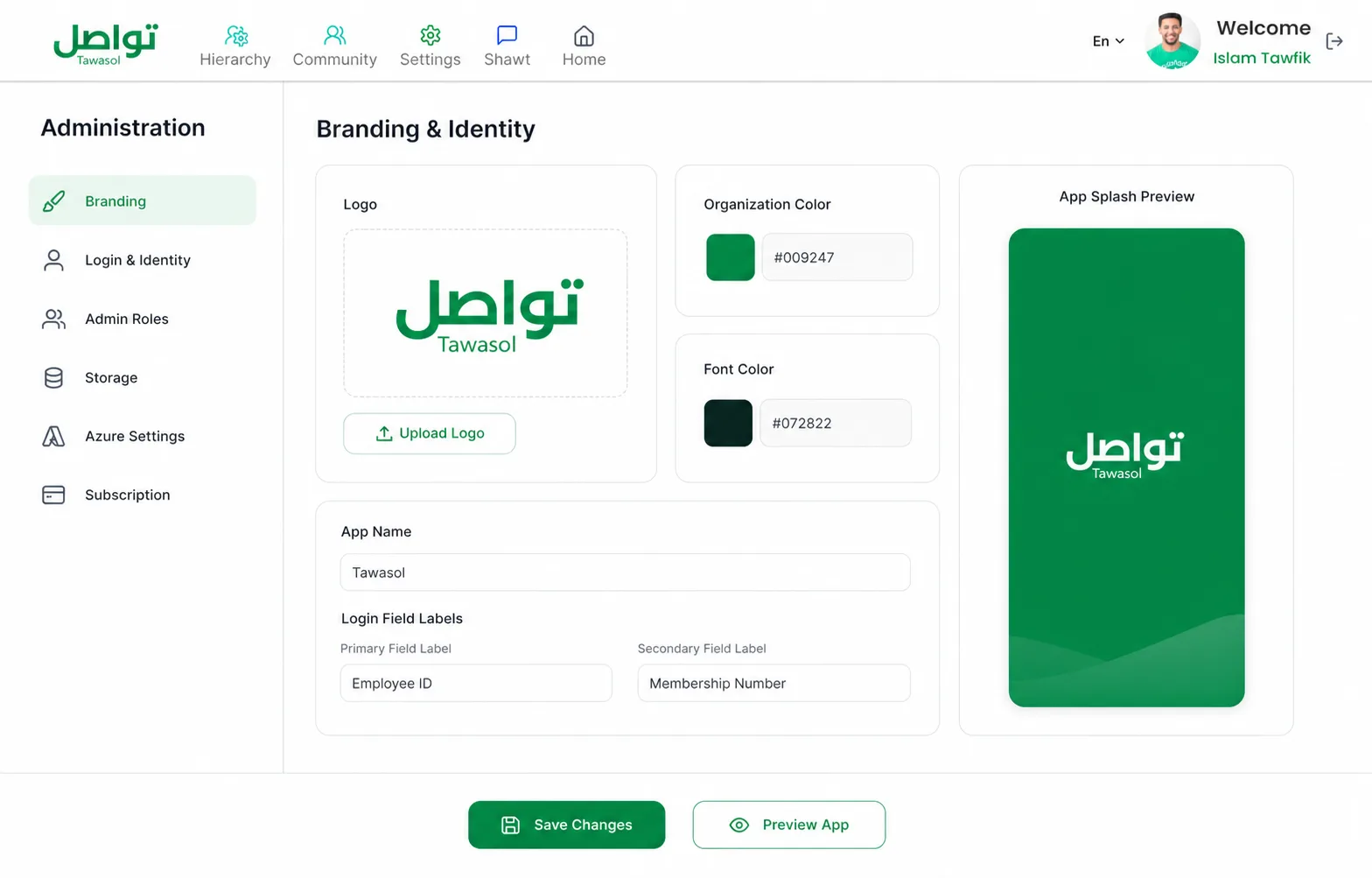
What you configure Make the interface recognizable before rollout. 01 Visual identity Logo, organization color and font color.
02 The splash-screen name Your account name becomes the platform identifier.
03 The login fields themselves Employee ID, passport, student or membership number — labels change on mobile.
04 Administrators and permissions Multiple accounts with distinct roles.
05 Platform behaviour Subjects, categories, reactions, storage and subscription.
06 Identity Azure Client ID and Secret connect Active Directory.
Tawasol / Administration YOUR CONFIGURATION
تواصل Organization logo Upload logo
Organization color #009247 Font color #072822
App nameTawasol تواصل Your organization
First thing employees see Login field labels Mobile sign-in preview Primary fieldEmployee ID Secondary fieldMembership Number Sign in to Your organization Employee ID Membership Number
Administrator roles + New role SC Internal Communications Shawts · Events · Reporting EDIT IT Platform Administrator Identity · Storage · Security FULL Configuration 05 Platform behaviour Subjects, categories, reactions, storage and subscription.
Platform behaviour Configured once Announcement reactions Members can respond
Internal storage Files stay in your deployment
Request subjects HR · Facilities · Safety 3 active
AD Azure Active Directory Unified identity and secure sign-on CONNECTED Client ID••••••••-••••-•••• Client Secret•••••••••••••••• Joiners and leavers follow your directory.
The differentiator Choose the deployment boundary before launch. Your infrastructure decision follows your security, residency, and operating requirements.
Deployment model What you get
01 On-premise Servers in your own data center. Full control of data, keys and infrastructure.
02 Private cloud Isolated environment, dedicated resources, no other tenants.
03 In-country Hosted within national borders for residency requirements.
04 Hybrid Split between internal and cloud by sensitivity.
01 4 deployment models 02 15 characters app name 03 Same day revocation Where it matters most Four environments where control changes the decision. Control environment 01 Sovereign perimeter Choose the infrastructure, identity boundary and place where data lives.
Control environment 02 Control at install Resolve residency, roles and sign-on before the first employee logs in.
Control environment 03 Your app identity Replace the vendor identity from splash screen through login.
Control environment 04 One identity source Connect Active Directory instead of maintaining another user store.
01 Government entities INFRASTRUCTURE 02 Banking and regulated sectors IDENTITY + ROLES 03 Strong internal brands WHITE-LABEL 04 IT teams with existing identity infrastructure ACTIVE DIRECTORY Objections The questions worth asking 01 White-labeling usually means a logo swap. Here it includes logo, colors, font color, splash-screen name and login-field labels.
02 On-premise means we maintain it. You control it; we support it. The engineers who built it handle updates.
03 Our IT team will review the architecture. Bring them. They will speak to the people who wrote it.
Active Directory? Through Azure Client ID and Secret.
When someone leaves? Access is revoked immediately.
App name length? The splash-screen account name supports up to 15 characters.
Storage location? Choose the storage boundary that matches your deployment and data-residency requirements.
Live, not slides See your logo on it. Send brand assets before the session and we will load them.
 Your brandYour deployment